

Shadow Boxing: How to Avoid Overusing Shadows in Your UI Designs. UI Tutorial.
Subtlety is key: The difference between elegant design and muddy interfaces.

Have you ever opened an app or website and immediately felt drawn in by its beauty, simplicity, and ease? Or perhaps you’ve quickly felt overwhelmed or put off by something cluttered, messy, or visually heavy?
That instant, subconscious reaction happens on what’s called the Visceral level of design. Coined by Don Norman in his influential book, Emotional Design, the visceral level is all about first impressions: it’s our gut reaction to the visual aesthetics, the colors, shapes, symmetry, and simplicity (or lack thereof) that determine whether we instinctively feel attracted or repelled by a design.
To master the visceral level, you must design for clarity, simplicity, and elegance. Your interface doesn’t need flashy graphics or intricate animations to impress users. In fact, it shouldn’t rely on these things at all. Instead, it must feel clean, minimalistic, smooth, and balanced.
A clean, thoughtfully arranged interface not only creates a positive emotional response but sets the stage for an engaging, satisfying experience. It invites users to explore further and trust your product.
And here’s exactly where many new designers stumble. Especially when it comes to using shadows. Designers, both aspiring and seasoned, misuse shadows in UI more than anything else.
When I review designers' portfolios or coach them, I notice a common visual habit. It's almost as predictable as coffee in the morning. They open their favorite design tool, place a white card on a white background, and, as if by magic, add a dramatic, heavy shadow beneath it. At first, they love the depth it creates. It’s striking, pops, and seems visually interesting.
But soon, reality sets in. What initially seemed striking quickly becomes overwhelmingly noisy and visually heavy.
Remember: Just because you can add shadows doesn't mean you should.
Why are designers so drawn to shadows?
Shadows add instant dimensionality. They can separate visual elements clearly, lift objects off backgrounds, and create a strong visual hierarchy. This makes them irresistible, especially for beginners looking for quick visual impact.
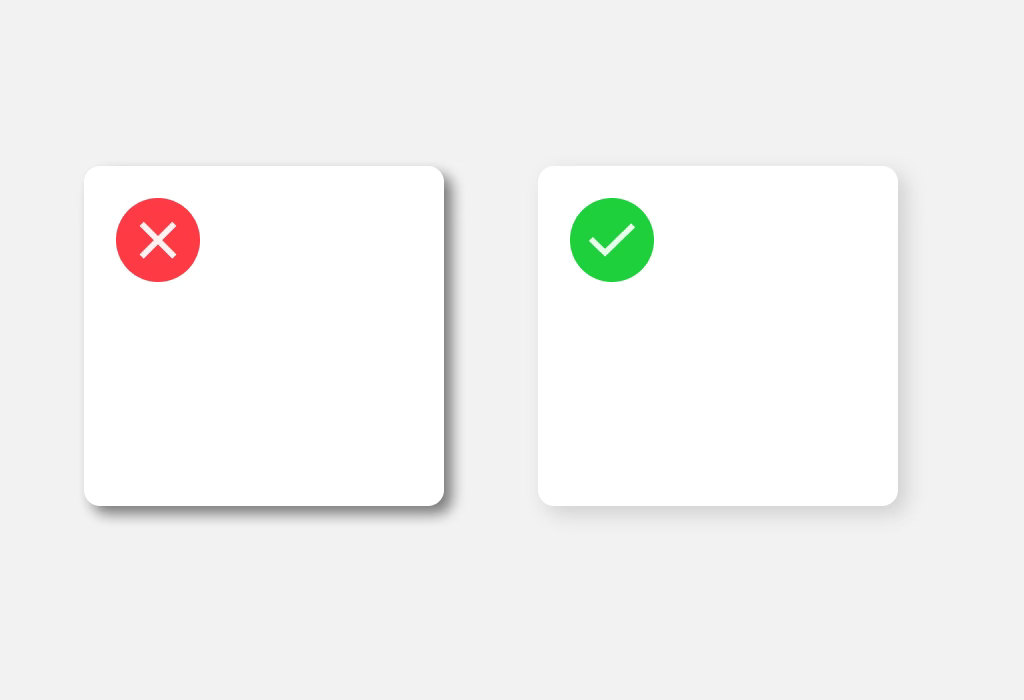
But shadows are like spices in cooking — too little and your dish is flat; too much and it’s ruined. Balance is everything.
Common mistakes new designers make with shadows:
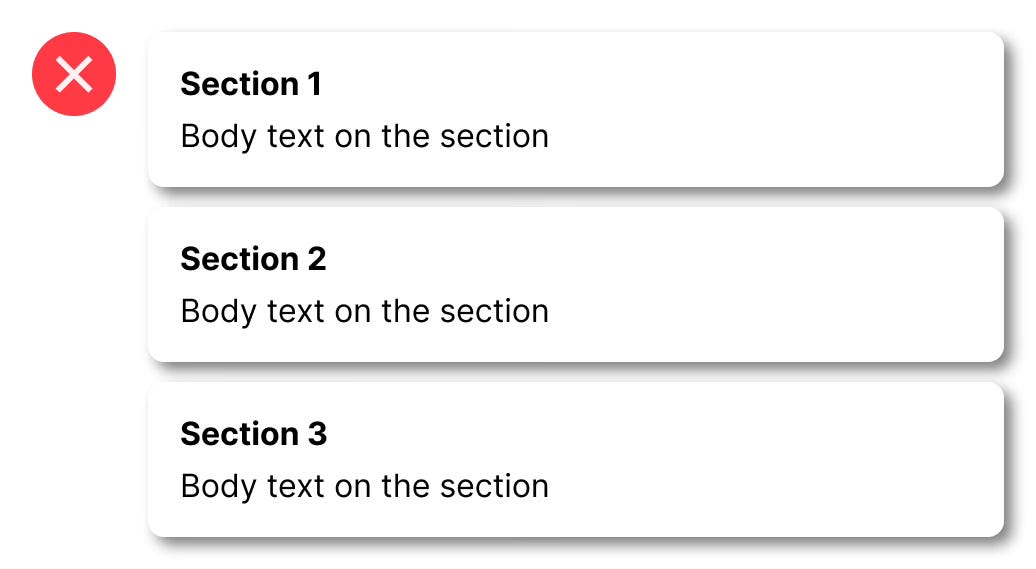
1. Shadows that are too dark or harsh
Black, hard-edged shadows against a white interface create overly sharp contrasts. This often results in elements feeling disconnected from the rest of the design, making interfaces look cluttered or amateurish.
2. Shadows everywhere
When every button, input field, and image has a prominent shadow, it creates visual chaos. Elements compete for attention instead of guiding the user’s eye smoothly through the interface.
3. Ignoring realism
Real shadows are nuanced — they vary with depth, distance, and the intensity of the light source. Applying a single shadow style universally ignores natural visual cues, causing the interface to feel unnatural.
How subtle shadows can transform your designs
Professional, polished UI designs rely heavily on subtlety and restraint. Here’s the secret to getting shadows right:
